Skip to content
Infonic Training & Development Center

Top Video Editing Course in Jaipur

People watch videos every single day. On phones, on laptops, on every social media platform. Behind every great video is a skilled editor who knew exactly what to cut, what to keep, and how to make it feel right. Our Video Editing Course in Jaipur gives you those exact skills through proper hands on practice.

Get Free Career Consultation

Our expert will call you within 30 minutes


    100% Free • No Spam • Expert Guidance Guaranteed

    Best Video Editing Course in Jaipur For All

    You do not need any technical background to join this video editing training in Jaipur. If you enjoy watching videos and want to learn how they are made, that is enough to get started. This course welcomes everyone - from school students to working professionals - and turns them into confident video editors step by step.

    Students After 12th

    Young students who want a creative and practical skill can start learning video editing early and build a strong portfolio before entering the job market.

    College Students

    Students who want something more than just a degree can learn professional video editing on the side and open doors to freelance and full time creative jobs.

    Content Creators and YouTubers

    People who already make content but want their videos to look more polished and professional can finally learn how to edit the right way with proper coaching.

    Job Seekers Looking For Creative Careers

    Anyone finding it hard to get a good job can learn video editing and enter a field that has strong and growing demand across every industry.

    Freelancers Who Want Extra Income

    People who already do some online work can add video editing to their skills and start taking paid editing projects from clients all over India.

    Small Business Owners

    Business owners who want to make their own product videos, ads, or social media content can learn basic to professional video editing without hiring anyone else.

    Working Professionals Changing Careers

    People stuck in jobs with no growth can shift toward a creative and high demand skill like video editing and build a career they actually enjoy.

    Social Media Managers

    Students who handle brand pages and social accounts can learn video editing and deliver better content without depending on a separate editor every time.

    Aspiring Film and YouTube Creators

    Learners who dream of making their own films, web series, or YouTube channels can learn proper editing techniques to bring their creative ideas to life.

    Complete Beginners With No Experience

    Even if you have never opened a video editing software before, our teachers will start from scratch and guide you through everything step by step with full patience.

    Practical Video Editing Skills You Learn Here

    Every topic inside this video editing institute is taught with full hands on practice. You will not just watch someone edit - you will edit yourself. From cutting raw footage to adding music, color, motion graphics, and final export settings, every skill you learn here has direct use in real editing work.

    Video Editing Basics

    • How video files and formats work
    • Understanding timelines and editing workspace
    • Importing and organizing raw footage
    • Basic cuts and trimming techniques

    Audio Editing and Sound Design

    • Cleaning and adjusting audio levels
    • Adding background music to videos
    • Syncing sound with video properly
    • Voice over and audio mixing basics

    Color Correction and Grading

    • Fixing dull and uneven video colors
    • Creating a consistent visual tone
    • Applying cinematic color grading looks
    • Using color tools inside editing software

    Motion Graphics and Text

    • Adding titles and lower thirds
    • Creating simple animated text effects
    • Using transitions between video clips
    • Making videos visually more engaging

    Reels and Short Form Editing

    • Fast paced editing for social media
    • Syncing cuts with music beats
    • Instagram and YouTube shorts formatting
    • Trending reel editing styles and techniques

    YouTube Video Editing

    • Long form video structure and pacing
    • Adding chapters and screen recordings
    • Thumbnail creation basics for YouTube
    • Keeping viewers engaged throughout videos

    Brand and Commercial Video Editing

    • Editing product videos and brand films
    • Corporate video editing and presentation
    • Adding brand colors fonts and logos
    • Professional delivery and export settings

    Advanced Editing Techniques

    • Multi camera editing for events
    • Green screen and background removal
    • Speed ramping and slow motion effects
    • Professional finishing before final export

    AI Tools For Faster Editing

    • Using AI tools to cut editing time
    • Auto subtitle and caption generation
    • AI noise removal and audio cleanup
    • Smart editing tools used by professionals

    Structured Video Editing Training Modules We Covered

    This video editing coaching program follows a clear and easy learning path. Each module builds on the one before it. You start from understanding basic video concepts and slowly move toward editing complete professional projects. By the last module, you will have real edited work in your portfolio that you can show to any client or employer.

    Module 1:

    Module 1: The Video Editing Industry Today

    • What video editors do professionally
    • Types of editing work available today
    • How brands and creators use editors
    • Career and freelance scope in editing
    Module 2:

    Module 2: Understanding Video and Software Basics

    • How video files and formats work
    • Setting up your editing workspace
    • Understanding frame rate and resolution
    • Navigating the software interface comfortably
    Module 3:

    Module 3: Footage Import and Project Setup

    • Importing and sorting raw video files
    • Creating a clean project folder system
    • Setting sequence and timeline settings
    • Preparing footage before editing starts
    Module 4:

    Module 4: Basic Cutting and Trimming

    • Making your first real video cuts
    • Trimming unwanted parts of footage
    • Arranging clips in the right order
    • Building a clean and smooth timeline
    Module 5:

    Module 5: Audio Editing and Sound Basics

    • Adjusting and cleaning audio levels
    • Removing background noise from recordings
    • Adding music and syncing with video
    • Basic audio mixing for clean output
    Module 6:

    Module 6: Transitions and Visual Flow

    • Adding transitions between video clips
    • Choosing the right transition for mood
    • Avoiding overuse of heavy transitions
    • Keeping visual flow smooth and natural
    Module 7:

    Module 7: Text, Titles and Lower Thirds

    • Adding titles and opening text screens
    • Creating lower thirds for speaker names
    • Styling text to match video tone
    • Animated text for better viewer engagement
    Module 8:

    Module 8: Color Correction Fundamentals

    • Fixing overexposed and dark footage
    • Balancing skin tones and highlights
    • Using color wheels and scopes properly
    • Making footage look clean and even
    Module 9:

    Module 9: Color Grading for Professional Look

    • Creating a cinematic color grade
    • Matching color across multiple clips
    • Applying popular grading styles and looks
    • Building a consistent visual tone throughout
    Module 10:

    Module 10: Motion Graphics and Simple Animation

    • Creating basic motion graphic elements
    • Animating text and shapes on screen
    • Using keyframes for smooth movement
    • Adding visual interest without overcomplicating
    Module 11:

    Module 11: Reel and Short Video Editing

    • Fast paced editing for short content
    • Beat syncing cuts with music rhythm
    • Instagram reels and YouTube shorts format
    • Trending styles used by top creators
    Module 12:

    Module 12: YouTube Long Form Video Editing

    • Structuring long videos for viewer retention
    • Adding chapters and call to action screens
    • Screen recording integration for tutorials
    • Pacing and flow for longer content
    Module 13:

    Module 13: Brand and Product Video Editing

    • Editing videos for business and brands
    • Adding logos watermarks and brand colors
    • Corporate presentation style video editing
    • Professional tone and delivery for clients
    Module 14:

    Module 14: Advanced Effects and Techniques

    • Green screen removal and replacement
    • Speed ramps and slow motion effects
    • Multi camera editing for event footage
    • Creative techniques used by professionals
    Module 15:

    Module 15: Thumbnail and Visual Asset Creation

    • Designing YouTube thumbnails from scratch
    • Using basic graphic tools for visuals
    • Making thumbnails that get more clicks
    • Creating supporting visuals for videos
    Module 16:

    Module 16: AI Tools in Video Editing Workflow

    • AI tools that speed up editing work
    • Auto subtitle and caption generation tools
    • AI background noise removal tools
    • Smart tools used by working editors today
    Module 17:

    Module 17: Freelance Video Editing Practical Training

    • How freelance video editing projects work
    • Finding clients for editing work online
    • Delivering projects and handling revisions
    • Setting rates for different types of work
    Module 18:

    Module 18: Real Project Editing Practice

    • Editing complete real world video projects
    • Working within client style and brief
    • Managing timeline and delivery pressure
    • Building a strong editing portfolio fast
    Module 19:

    Module 19: Portfolio and Showreel Creation

    • Selecting your best edited work pieces
    • Building a showreel that gets attention
    • Presenting portfolio to clients and employers
    • How to share work professionally online
    Module 20:

    Module 20: Final Review and Career Guidance

    • Complete course revision and doubt clearing
    • Resume and profile building for editors
    • Job and internship after course guidance
    • Next steps for career growth in editing

    Software Covered In Video Editing Classes Jaipur

    During this practical video editing course, you learn the same software and tools that working editors use every day. These tools help you cut footage, mix audio, grade colors, create graphics, and deliver finished videos that look completely professional.

    Adobe Premiere Pro DaVinci Resolve After Effects Adobe Audition Capcut Pro Canva Pro Photoshop Basics Frame.io AI Subtitle Tools AI Noise Removal Tools Google Drive YouTube Studio

    Recommended Video Editing Institute in Jaipur

    Many places offer a video editing course in Jaipur. But most of them give you software access and leave you to figure things out alone. Here, a real teacher sits with you, watches you edit, and tells you exactly what to fix and why. That kind of one to one coaching makes all the difference.

    One To One Coaching When Needed

    Every student gets personal attention during hands on practice. If you are struggling with any part of the edit, your teacher will sit with you directly and walk you through it until it makes sense.

    Teachers With Real Editing Experience

    Our mentors are not just trained to teach - they have edited real projects for real clients. That experience shows in the way they explain things and the tips they share during class.

    Step By Step Practical Learning

    Nothing is rushed here. You learn one skill properly before moving to the next. This step by step approach makes even difficult editing topics feel easy and manageable.

    Hands On Practice Every Single Class

    You spend most of your class time actually editing, not just watching. That hands on practice is what builds real speed and confidence in your editing work.

    Doubt Solving Without Waiting

    You never have to wait till the end of class to ask a question. The moment you get stuck, your teacher helps you right then so your learning never stops.

    Personal Progress Tracking By Mentors

    Your mentor keeps track of how you are improving across every module. If you need more time on any topic, extra coaching sessions are arranged without any extra cost.

    Internship After Course Support

    After finishing the course, students get guidance and support for finding internship opportunities. This real work experience adds serious value to your career profile.

    Portfolio Ready Before You Leave

    You will not finish this course empty handed. By the time training ends, you will have a complete edited portfolio and showreel ready to share with clients and employers.

    Jobs After Video Editing Course in Jaipur

    After completing this professional video editing course in Jaipur, you will be ready for a wide range of career opportunities. Whether you want a full time job, remote editing work, or independent freelance projects, the practical skills from this training open many real doors for career growth.

    YouTube Video Editor

    Instagram Reels Editor

    Brand Video Editor

    Freelance Video Editor

    Content Creator Editor

    Corporate Video Editor

    Social Media Video Editor

    Film and Web Series Editor

    Motion Graphics Editor

    Product Video Editor

    News and Media Editor

    E-Learning Video Editor

    Wedding and Event Video Editor

    Remote Video Editor

    In-House Studio Editor

    Student Reviews of Video Editing Course Jaipur

    Before joining any video editing coaching in Jaipur, it helps to hear from people who have already been through it. Here are real words from students who completed this course and moved forward with their editing careers.

    Anonymous

    Anonymous

    Jaipur

    "I visited a few places before joining here. This one felt different from the start. The teaching style, the practical focus, and the mentor support..."

    Komal Joshi

    Komal Joshi

    Churu

    "Because the batch was small I got a lot of personal attention. My teacher noticed my mistakes quickly and helped me fix them right away...."

    Sahil Mathur

    Sahil Mathur

    Jaipur

    "I had tried learning from YouTube tutorials for months but never felt confident. The one to one coaching here changed everything. My teacher explained every..."

    Aakash Verma

    Aakash Verma

    Udaipur

    "Whenever I got stuck during practice, my mentor was right there. Never felt like I was on my own. That kind of support kept me..."

    Rahul Meena

    Rahul Meena

    Jhunjhunu

    "Every class had real editing work. No sitting and just listening. We actually edited projects which built my speed and skill in a way no..."

    Nikhil Choudhary

    Nikhil Choudhary

    Kota

    "The team helped me find an internship after course completion. That real work experience gave me the confidence to apply for full time editing jobs..."

    Simran Kaur

    Simran Kaur

    Jaipur

    "I was in a job I did not enjoy. Joined this video editing training and everything changed. Now I work as a freelance editor and..."

    Priya Rawat

    Priya Rawat

    Alwar

    "Honestly this was the most worthy investment I made for my career. I now edit brand videos for clients and earn well. The return on..."

    Tanvi Sharma

    Tanvi Sharma

    Sikar

    "What I liked most was that we edited real footage from day one. No boring theory for weeks. Just sit, open the software, and start..."

    Deepak Saini

    Deepak Saini

    Bikaner

    "I had never touched editing software before joining. Now I edit Instagram reels and YouTube videos for three regular clients. This course gave me a..."

    FAQs - Frequently Asked Questions

    Many students have simple questions before starting any program. Below we have answered common doubts so you can clearly understand how our courses work, what support you will get, and how these programs help build your future career.

    With regular hands on practice, most students start feeling comfortable editing on their own within four to six weeks. By the end of the full course, you will be able to handle real client projects with confidence. The more you practice outside class, the faster you improve.

    You do not need to buy anything before joining. During your classes at our video editing institute, all systems and software are provided. However, if you want to practice at home as well, having your own laptop helps you improve much faster between sessions.

    Absolutely. Many students join specifically to improve their YouTube content. You will learn how to structure long videos, keep viewers watching, add chapters and graphics, and edit in a way that makes your channel look genuinely professional and worth subscribing to.

    YouTube tutorials give you information. This course gives you coaching. There is a real teacher watching how you edit, telling you what to fix, and guiding you through your specific problems. That one to one coaching and hands on practice cannot be matched by any free tutorial.

    Yes. Freelance guidance is part of the training. You will understand how to find clients, what to charge, how to handle project briefs, and how to deliver finished work professionally. Many students get their first paid project within weeks of finishing the course.

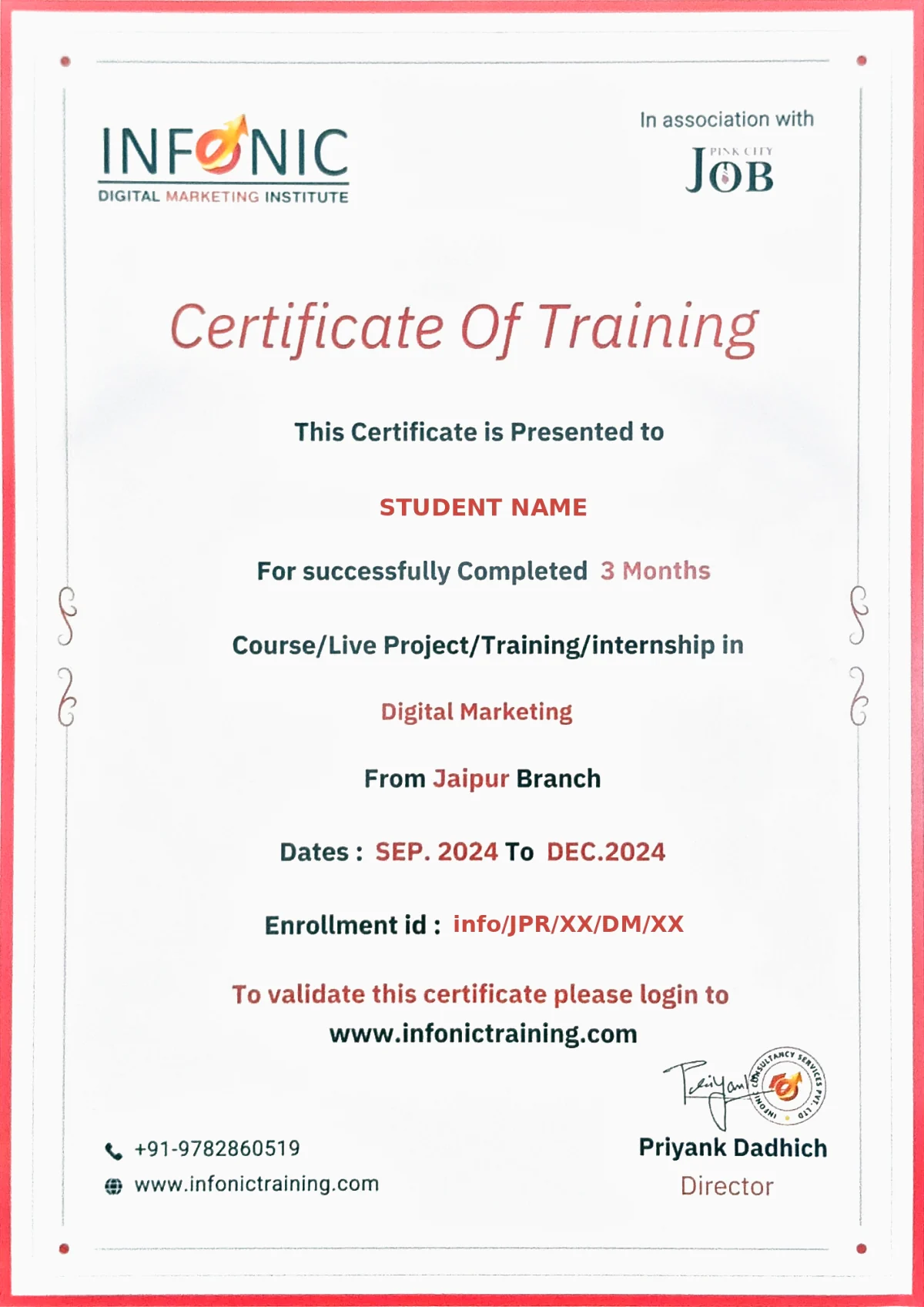
    Yes. After successfully completing all modules and practical work, you receive a course completion certificate from our institute. This certificate adds weight to your resume and professional profile when applying for editing jobs or pitching to clients.

    The return on investment for this course is strong. Even one regular freelance client paying a modest monthly amount covers the course fee within the first few months. Students who go into full time editing jobs or build a client base see returns that grow consistently over time.

    Yes. Our team actively supports students in finding internship opportunities after finishing the course. Real internship experience helps you build confidence, grow your portfolio, and position yourself better for full time career opportunities in the editing field.

    Yes. Video editing is a skill, not a talent you are born with. With proper coaching and regular hands on practice, anyone can learn how to edit videos well. Creativity grows naturally as you edit more and understand what works and what does not.

    Video editing is one of the most in demand creative skills right now. Every brand, every creator, and every business needs video content. The demand for skilled editors keeps growing and shows no signs of slowing down. Learning video editing today is a very worthy and smart career move.

    Start Your Video Editing Career in Jaipur Today

    If you are ready to learn a real and in demand skill, get proper hands on coaching, and build a career doing something creative and enjoyable, this is the right place to begin. Our teachers will guide you from your very first edit all the way to delivering professional work with full confidence.

    Our placement team is available Mon-Fri, 9 AM to 6 PM